01 · Curriculum
Is Our Curriculum Being Taught Well?
See evidence of curriculum-specific practices across classrooms—and where you need a closer look.
For District and Charter Network Leaders
Instructional Pulse brings curriculum look-fors, classroom evidence, teacher coaching, and student results into one place—so leaders can focus support where it’s needed and follow through across every school.
See how your curriculum and coaching routines come together in Pulse.
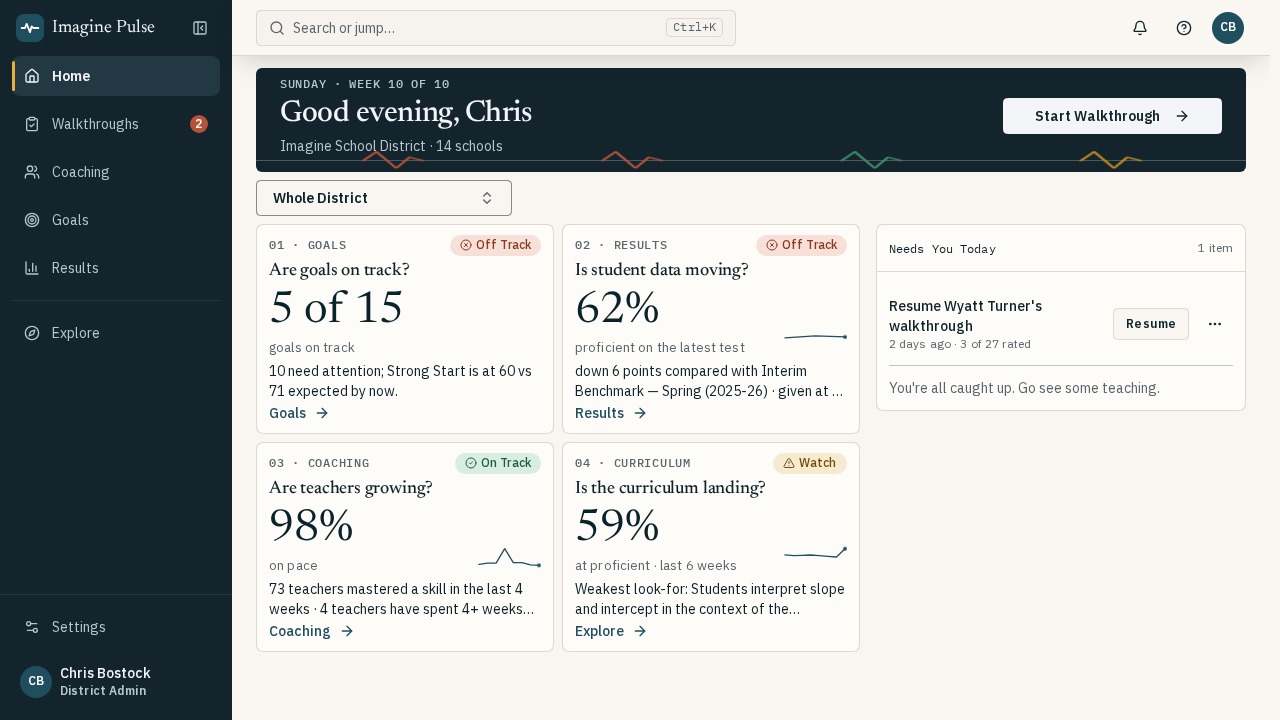
Screens show our demo district, Imagine School District.
A Shared View of Instructional Priorities
District & Network Leaders · every school
Coaches · every teacher on their caseload
Principals & APs · every team
Evidence from Your Classrooms
Review curriculum, teaching, learning, and goal progress together to decide where your leaders should focus next.
01 · Curriculum
See evidence of curriculum-specific practices across classrooms—and where you need a closer look.
02 · Teaching
Follow coaching priorities, action steps, and evidence of progress over time.
03 · Students
Review common assessment results alongside classroom evidence to identify where learning needs attention.
04 · Goals
Track progress toward school goals and focus this week’s leadership conversations.
How it works
Connect what leaders see in classrooms to focused coaching and the next check on progress.
See it
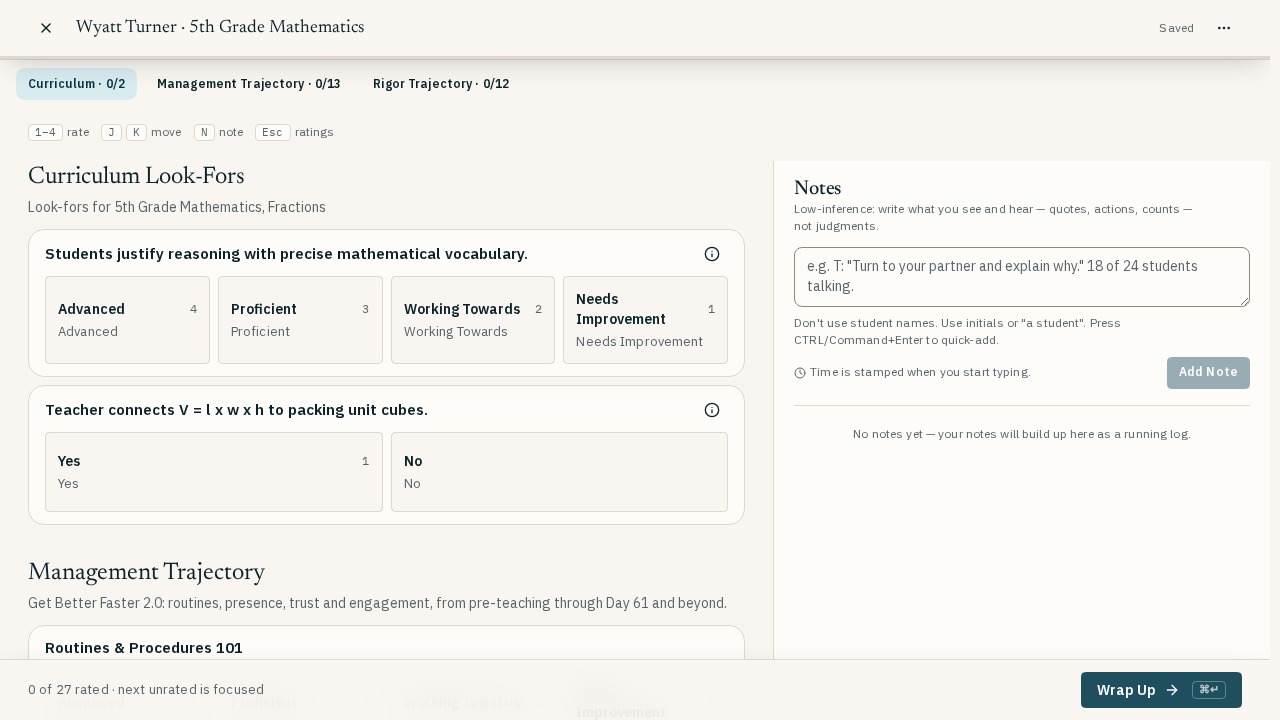
Look-fors that follow the unit. Pick the course and this week's look-fors appear. Monitor curriculum implementation alongside instruction to improve both what teachers are teaching and how they are teaching it.
Your rubric, not ours. Ratings, yes/no checks, evidence notes and timed on-task counts. Create custom rubrics and forms.
Curriculum Studio. Paste a list, use a grid, copy a course, or draft look-fors with AI from your own documents. Then, monitor implementation.
Built for a phone. Every answer saves as you go.
Coach it
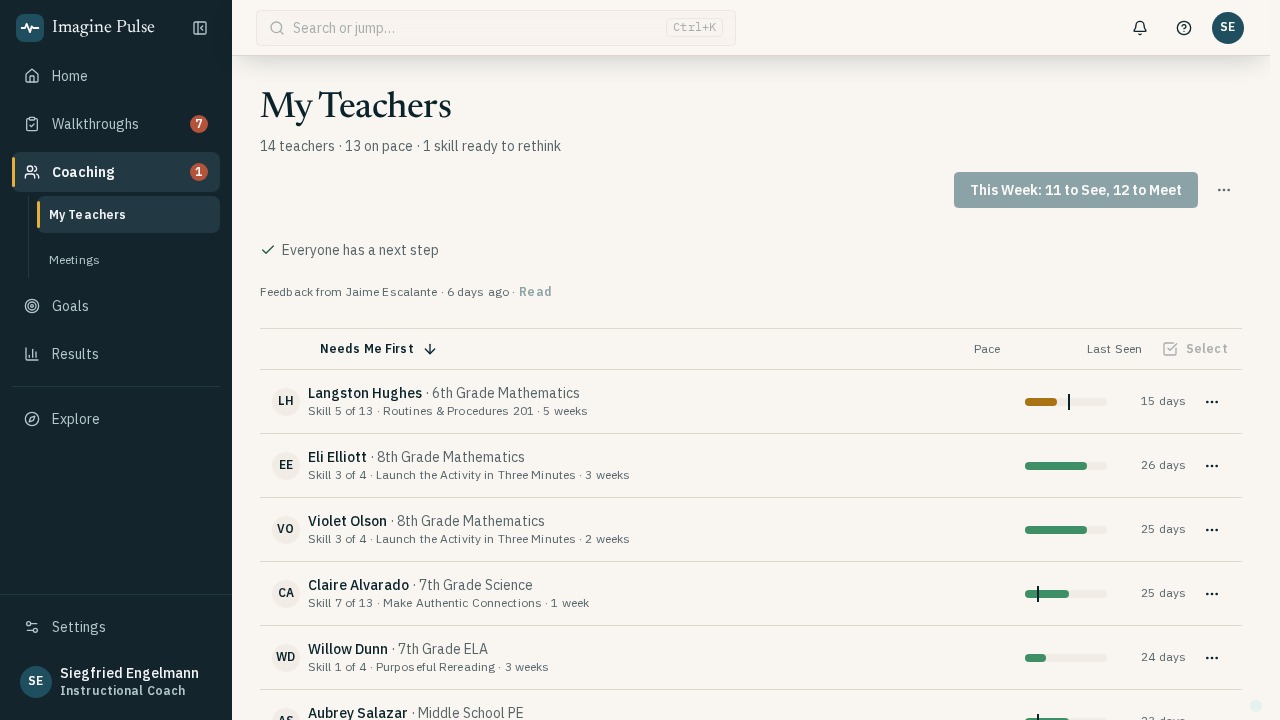
Caseloads built on a Playbook. Each teacher works on a focused skill from your coaching Playbook, with action steps you can revisit and refine.
An action step library. Start from bite-sized steps, then reword them for the teacher to make it personal.
See It, Name It, Do It meetings. Support the observation and feedback routines used by leaders trained in Relay and Leverage Leadership, with forms you can adapt to your district or network.
Auto-scheduling. Pulse imports your academic calendar, bell schedule, and SIS master schedule to tell you which teacher is available when. Coaches then build their weekly observation, prep, and meeting cadence and Pulse sends the calendar invites.
Move it
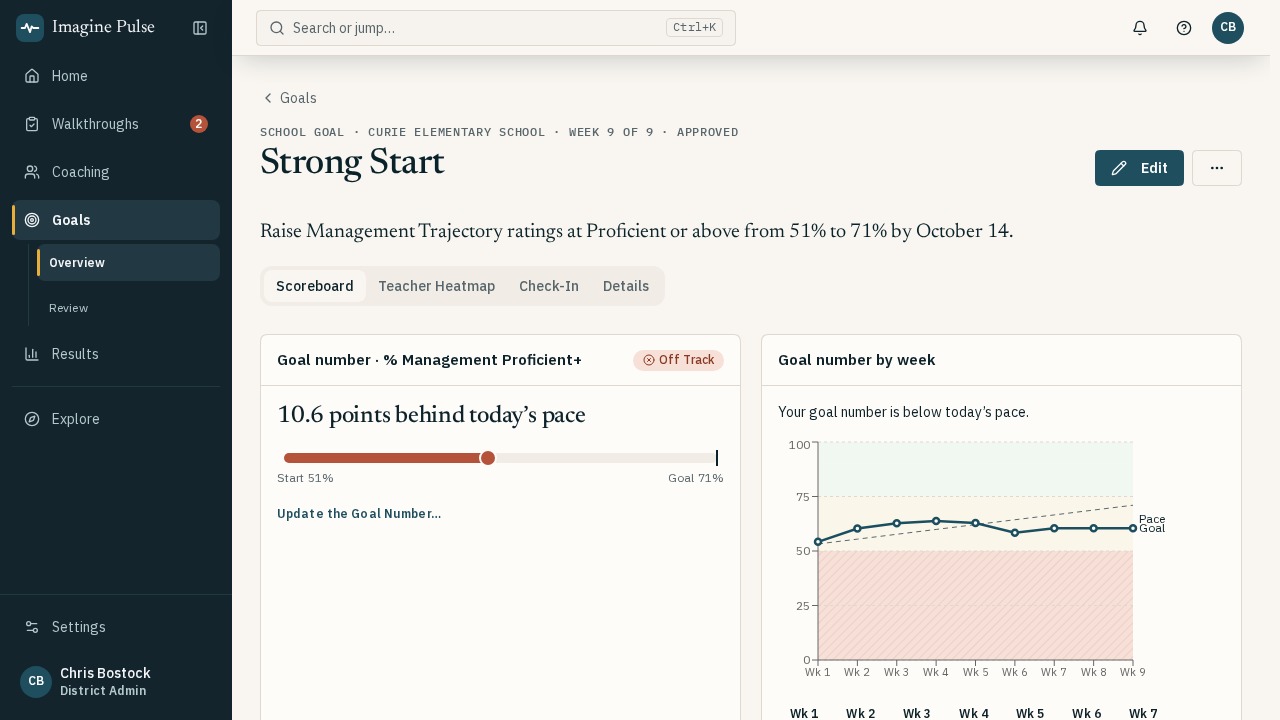
Set a goal. Track it. From X to Y by when, rolled up automatically so teams stay accountable for real teacher growth.
Supervisor monitoring. Goal pace, walkthrough frequency and coach quality across your schools.
Results next to practice. Review class-level assessment results beside walkthrough evidence. Check whether changes in instruction are showing up in student learning.
AI Insights. Ask a question in plain English and get trends and coaching priorities.
An Illustrative Coaching Cycle
For example, a unit asks students to support an interpretation with evidence from the text.
During a walkthrough, the leader notices that the teacher is supplying the reasoning students should be doing.
The coach and teacher choose a focused action step and rehearse a prompt that asks students to explain their evidence.
On the next visit, the leader looks for the agreed practice and records what students and the teacher do.
The team considers classroom evidence alongside common assessment results to decide what to continue or adjust.
Illustrative example, not a reported customer outcome.
Trust
Non-evaluative by design. Pulse runs beside your evaluation system, not instead of it.
Sign in with your district Google account. No separate Pulse password.
Each district's data is separated at the database level.
Your data is never used to train AI models.
the California NDPA and New York Ed Law 2-d DPA.

Built by a principal supervisor
"Pulse is the system I wanted when I supervised principals: one place to see what's happening in classrooms and what to do about it this week."
Chris Bostock · 20 years in schools, from the classroom to the superintendent's office. Meet the founder
We help you bring your rubric, curriculum look-fors, coaching Playbook, and first school goals into Pulse, so your leaders can start with the routines your team already uses.
In 30 minutes, explore a walkthrough, a coaching cycle, and a school goal with your schools in mind. Bring a rubric or curriculum unit if you have one—no prep required.